
Snap Blocks works out-of-the-box with the WordPress Block Editor and Classic Editor — no setup needed.
If you’re using a page builder, the Snap Blocks post type must be enabled first.
Elementor
Elementor is officially supported, but you need to allow it for Snap Blocks.
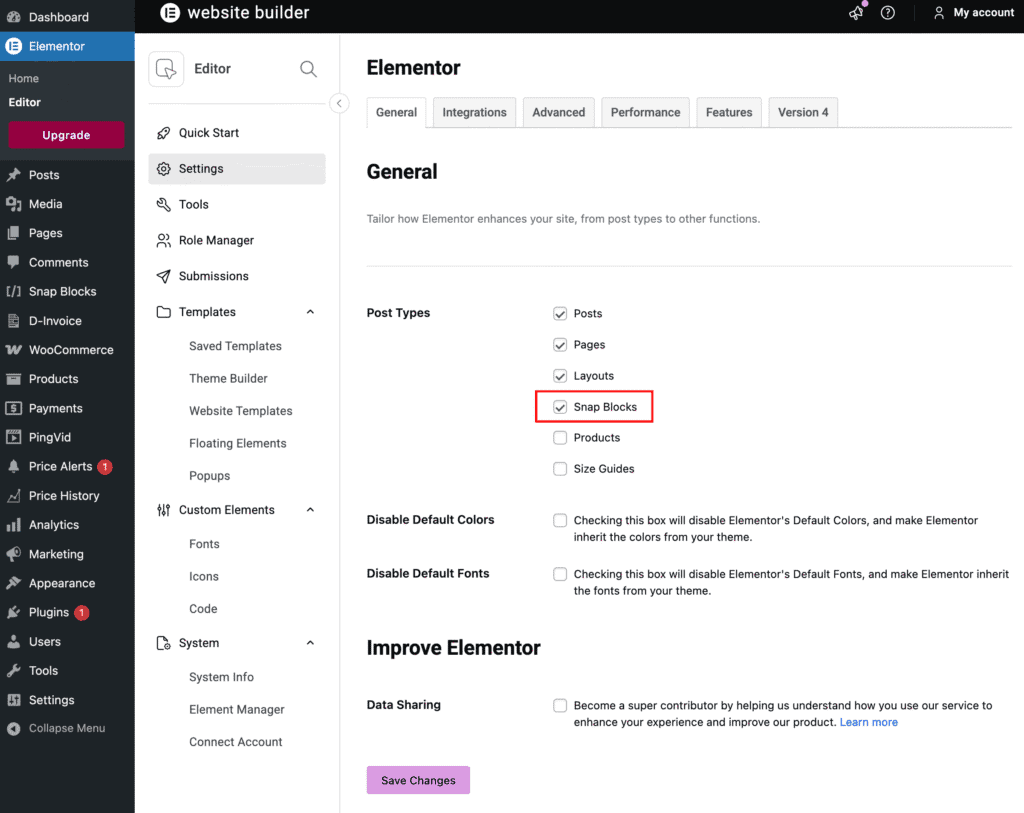
- Go to Elementor → Settings → General
- Under Post Types, enable Snap Blocks
- Save changes
That’s it. You can now edit Snap Blocks with Elementor.
WPBakery Page Builder
WPBakery is also officially supported, but Snap Blocks must be enabled per role.
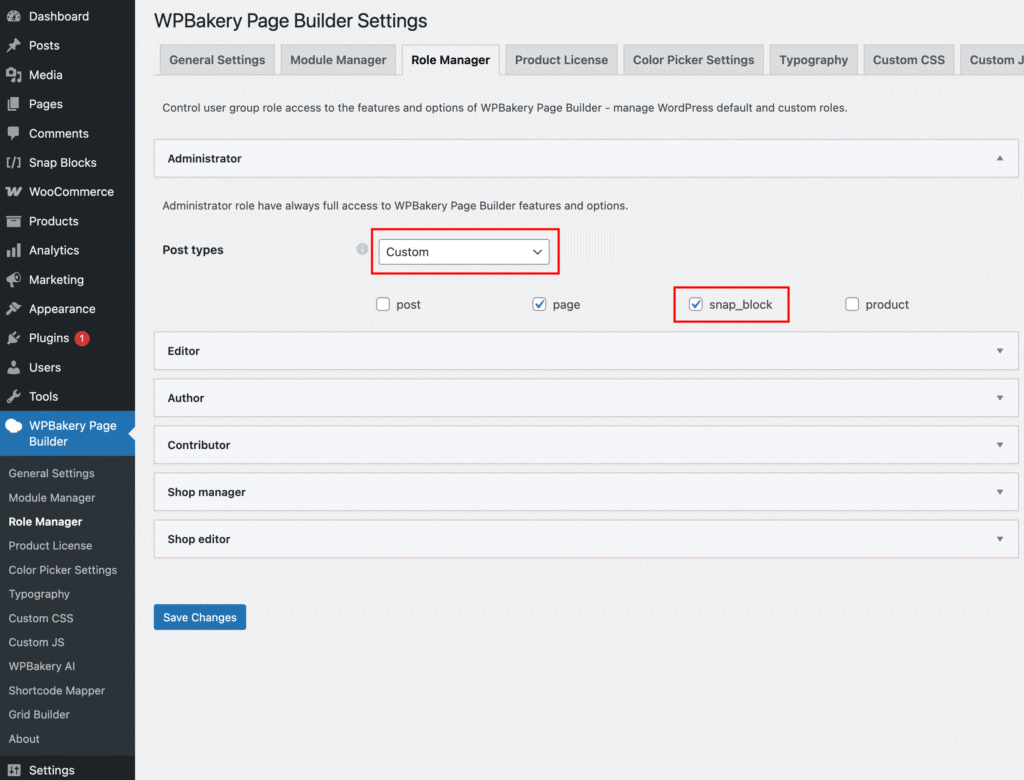
- Go to WPBakery Page Builder → Role Manager
- Under Post Types, select Custom
- Enable Snap Blocks for the desired user roles
- Click Save Changes
Snap Blocks will now be available inside WPBakery.
Other Page Builders
Other page builders may work, but they are not officially supported.
In those cases, Snap Blocks can still be used via manual shortcode placement.