Free Shipping Label 4.0 is here, bringing a completely redesigned settings interface, live previews, ready-made designs, and new layouts for free shipping, gifts, and discounts.
This major update makes it easier to create a progress bar that matches your WooCommerce store. Customize colors, texts, and layouts while seeing the results instantly, explore new designs, and check your free shipping setup directly from the plugin settings.
Whether you’re setting up Free Shipping Label for the first time or upgrading from 3.5, version 4.0 gives you more flexibility without starting from scratch.
Already using Free Shipping Label 3.5? Your existing settings are automatically migrated, and your current design is preserved. See the Upgrading from 3.5 section below for important details.
Features marked Pro require Free Shipping Label Pro. Discount goals require the separate FSL Discount add-on.
New features
Live preview
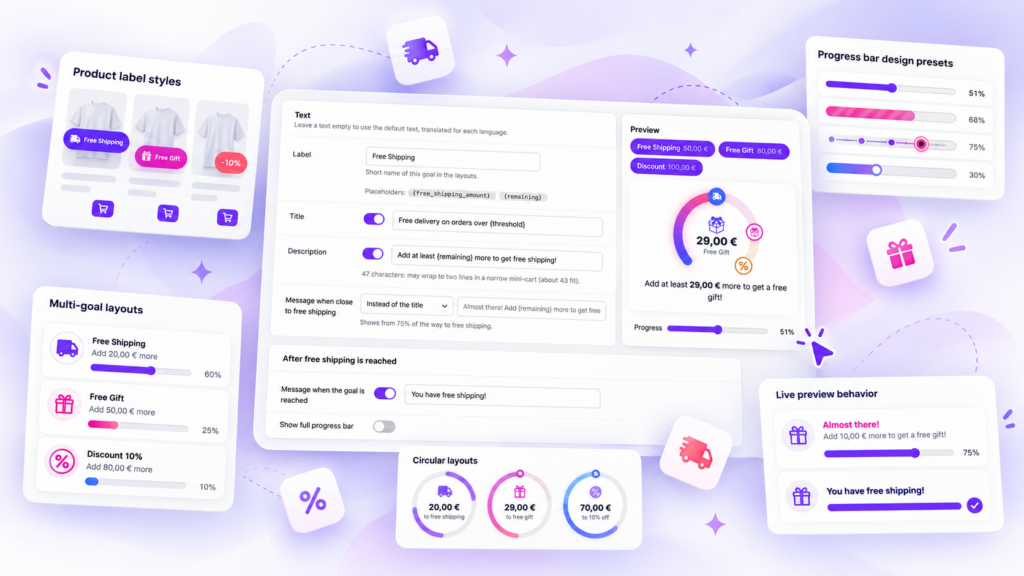
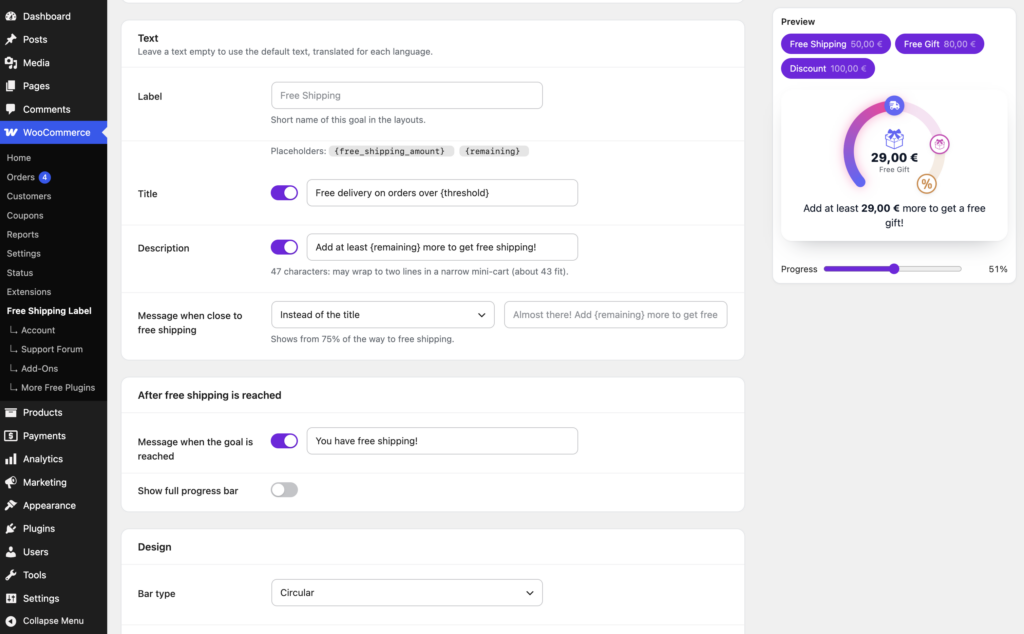
The Progress Bar settings open with a preview of your bar. Change a color, a text or the layout, and the preview shows the result before you save, so you can try ideas without touching your live store.
A slider moves the preview cart from empty to full. Drag it to see the bar halfway, close to the goal, and with the message customers get once they qualify. If you also offer a free gift or discounts, buttons above the preview show or hide each goal.
Ready-made designs Pro
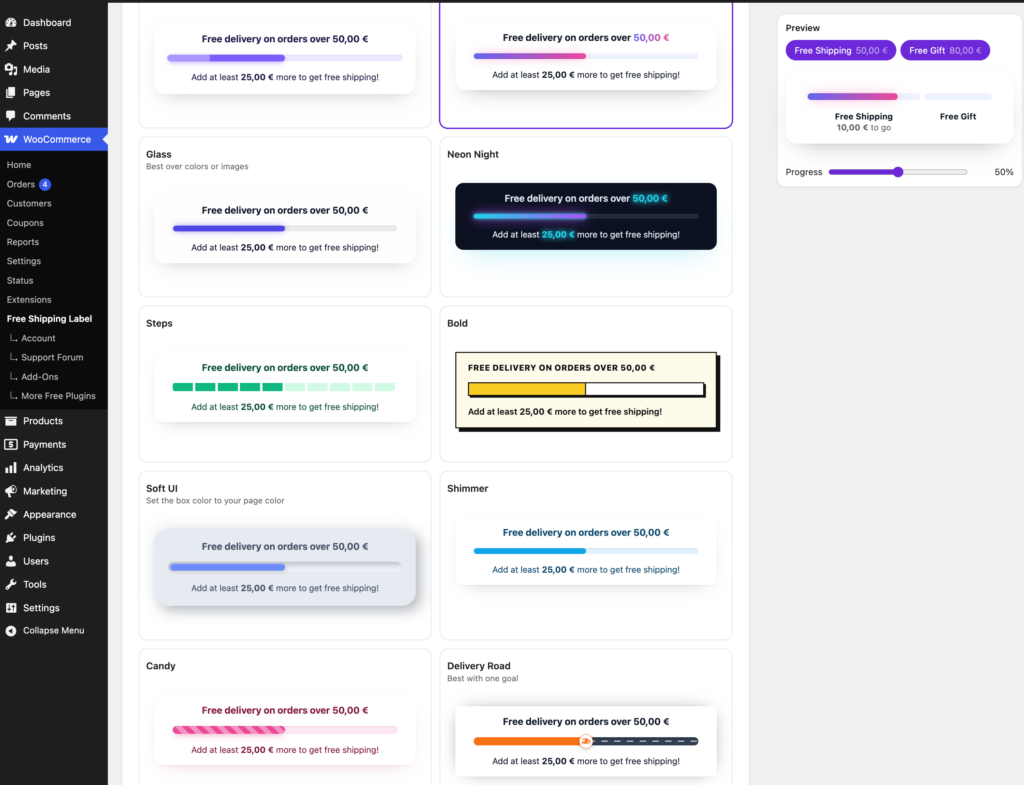
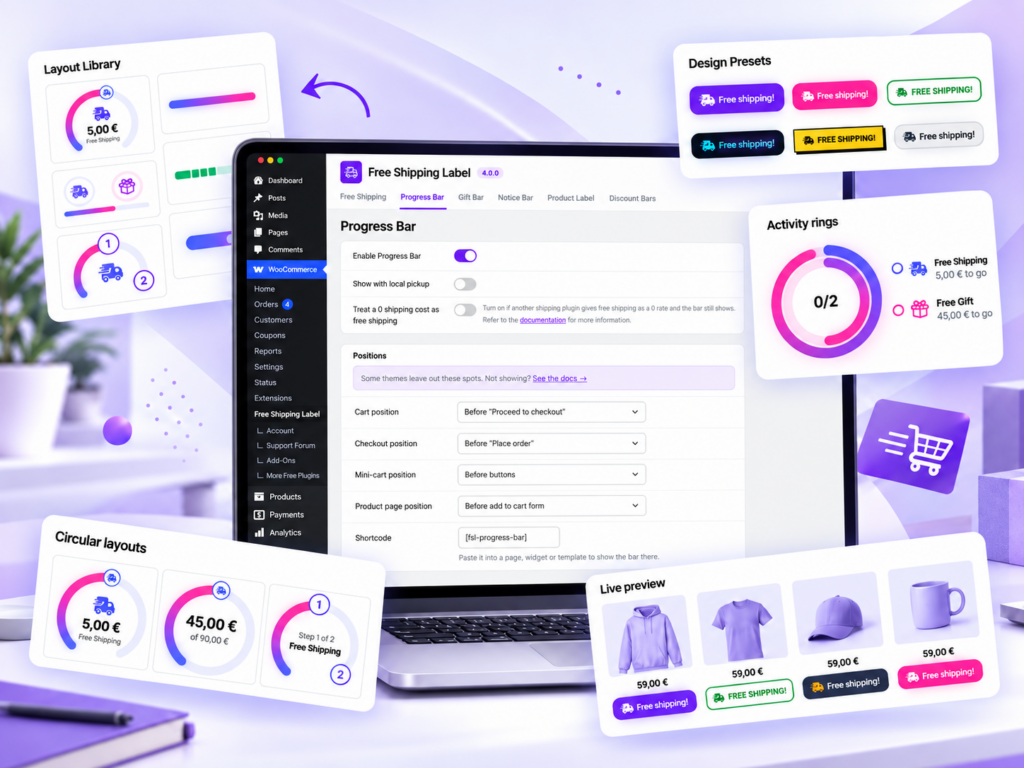
Design presets give the bar a finished look in one click. A preset sets the colors, corners, icons and which texts show, and leaves your own wording alone. You can fine-tune any detail afterwards, undo a preset before saving, or return to the default look.
Presets are entirely optional. If you’re upgrading from an earlier version, your existing bar design stays exactly as it is until you choose to apply a preset.
Presets work on both the linear and the circular bar, so you get a polished result without writing CSS. In the free version, the preset gallery shows your own bar in each design, so you can see the Pro look in your store before you upgrade.
Layouts for free shipping, gifts and discounts
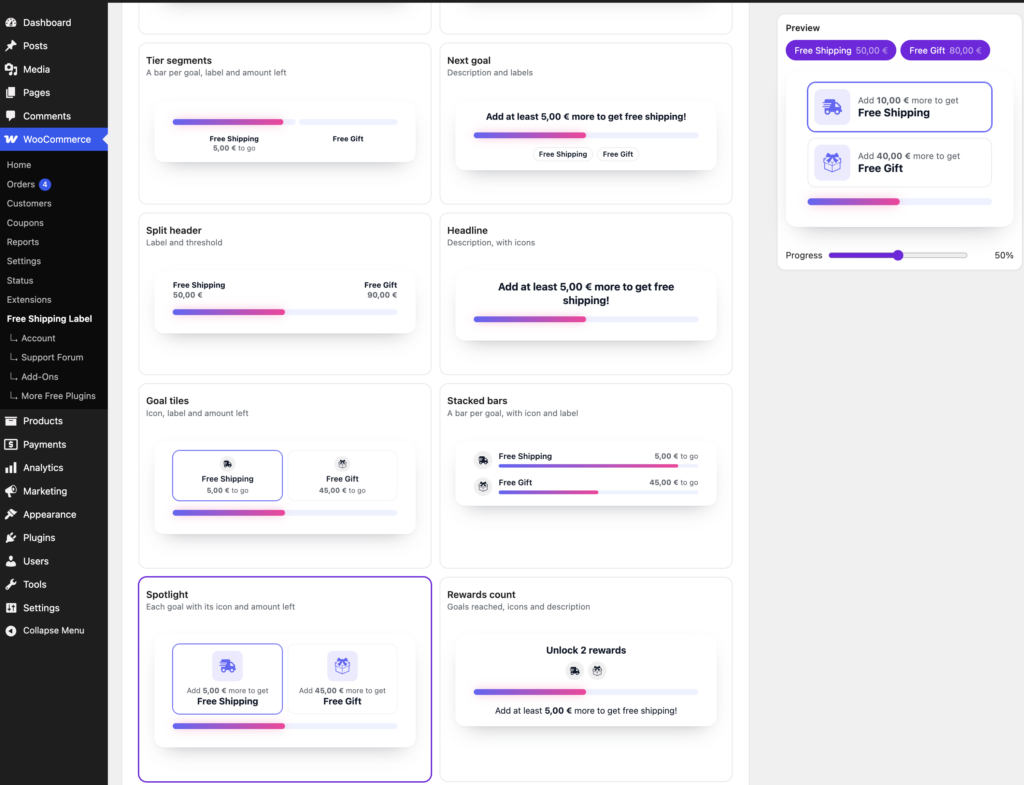
Your bar can track more than free shipping. The Gift Bar adds a free gift as a goal, and the FSL Discount add-on adds up to three discount steps. The new layouts arrange those goals as a checklist, a timeline, tiles, steps or one bar with a marker for each goal, so customers see what they get at each amount.
Each goal has a short label, such as “Free shipping” or “Gift”, that the layouts show next to the amount left. The free version includes four layouts and Pro adds twelve more. They work with a single goal too, so a store that offers only free shipping can use them.
Circular bar layouts and ring settings Pro
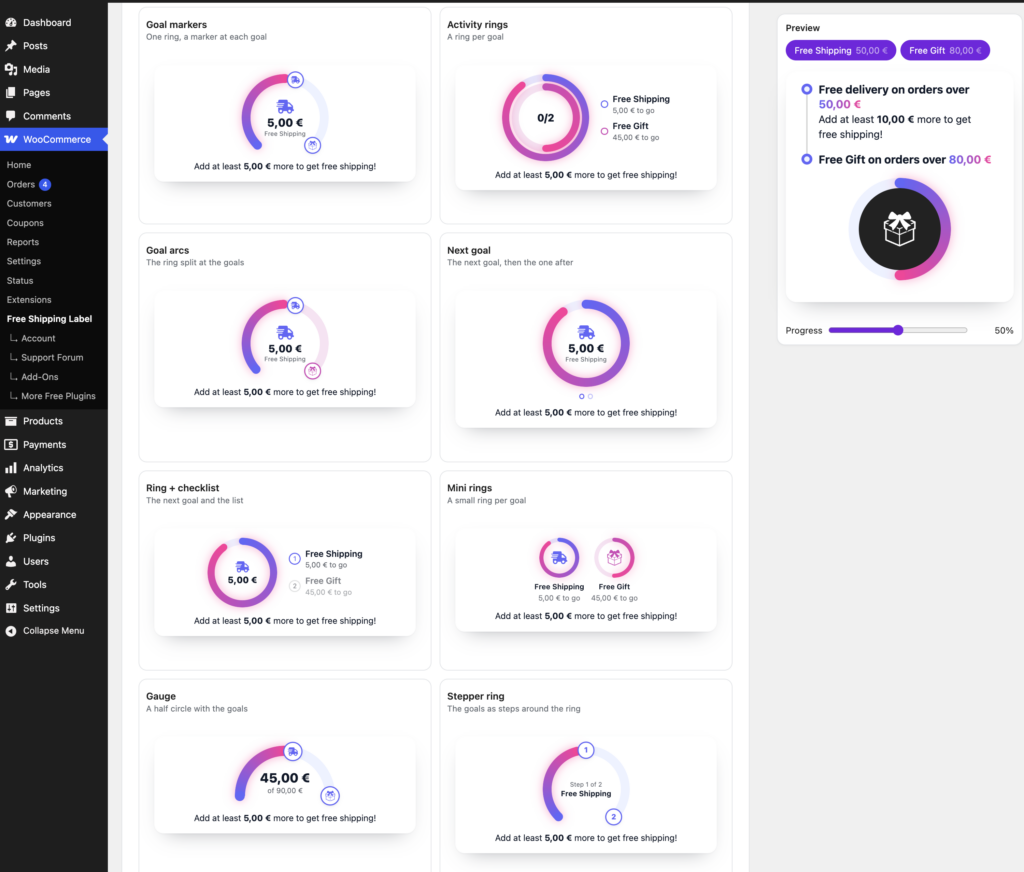
The circular bar gets its own layouts: one ring with a marker at each goal, a ring per goal or a half-circle gauge, among others. You can set the ring’s thickness and choose what sits in the middle, such as the amount left, a percentage or an icon.
Product Label styles
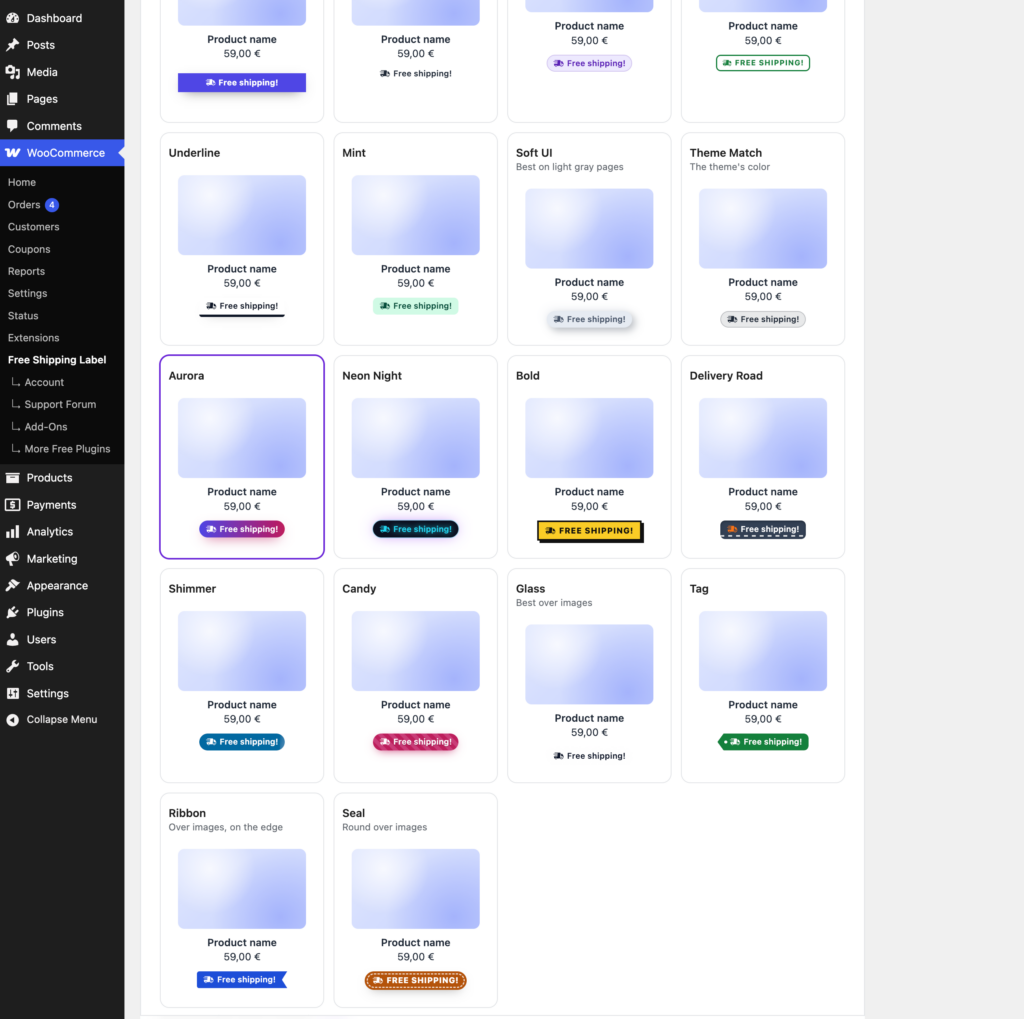
The Product Label appears next to the price of products that qualify for free shipping on their own. Version 4.0 adds a gallery of ready-made label styles with previews. Four styles come with the free version. Pro adds 14 more and an optional icon on the label.
Free shipping status for each zone
The Free Shipping tab now opens with a table of your shipping zones and the free shipping amount the bar uses in each one. It points out setups that keep the bar from showing, such as a zone where free shipping has no minimum order amount, and names the WooCommerce setting to change. If the bar doesn’t appear for some customers, start with this table.
Show or hide each text
The title, the description and the message after free shipping each have a switch beside the field. Turn a switch off to hide that text. Your wording stays saved for the next time you need it.
“Almost there” message Pro
Pro can change the message as the customer gets close to free shipping. From 75% of the way, a line such as “Almost there! Add €5 more to get free shipping.” takes the place of the title or the description, whichever you choose.
Text size
A text size setting with small, medium and large sizes keeps the bar readable in a narrow mini-cart as well as on a wide cart page.
Automatic placement on block cart and checkout pages Pro
On stores that use the block-based Cart, Checkout and Mini-Cart, Pro adds the bar for you. You don’t need to place a block or a shortcode on each page.
New free shipping and gift icons Pro
New free shipping and gift icons come in solid, outline and duotone styles. They take the colors you set, so they fit your design.
Default texts in your customer’s language
Leave a text empty and the bar shows the default text in your customer’s language. The field shows that default as a grey hint, so you know what customers will read. Sites that used the old Multilingual setting can find the details in the upgrade notes.
Redesigned settings page
The settings page has a new look. Each section sits in its own card, and the design and layout galleries stay folded until you open them. The “Settings saved” message now appears next to the Save button, and notices from other plugins no longer crowd these pages.
Bug fixes, performance and security
Version 4.0 fixes a number of bugs and tightens security in the way the plugin outputs its settings and texts. In Pro, block cart pages make fewer background requests, and the bar supports the WooPayments currency switcher. Free Shipping Label 4.0 is tested with WordPress 7.1 and WooCommerce 11.2.
FSL Discount 1.1.0
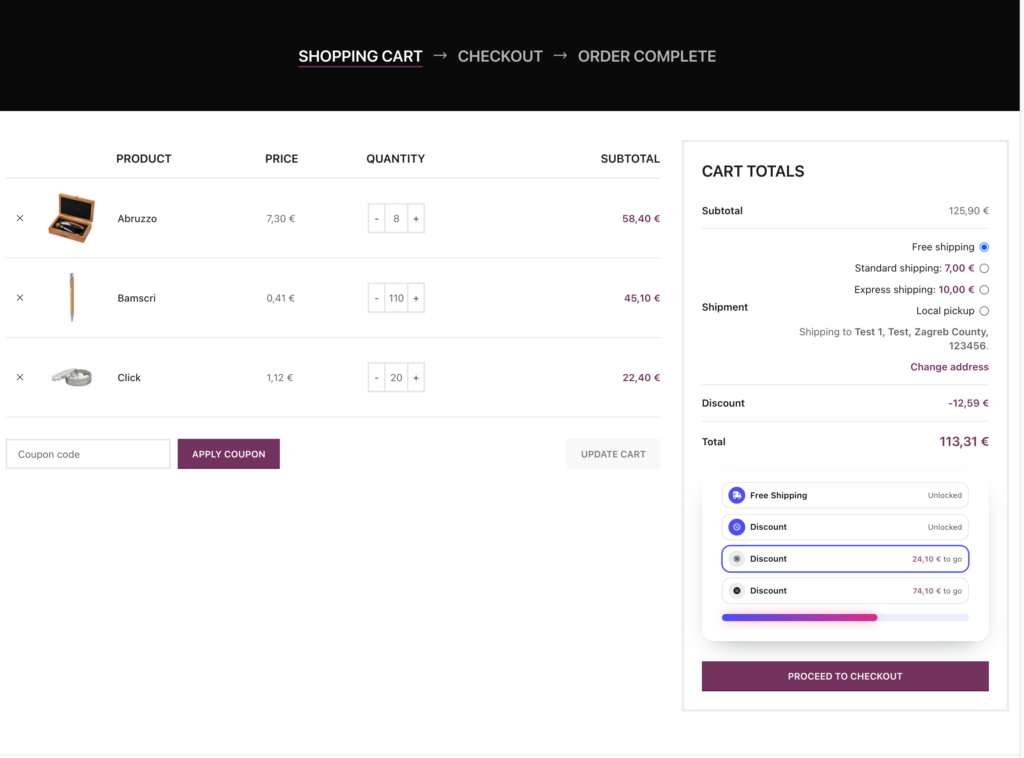
FSL Discount adds up to three discount goals to the bar, for example 5% off from €100 and 10% off from €150. Version 1.1.0 comes out with Free Shipping Label 4.0 and works with its layouts, text switches and circular designs. It also brings:
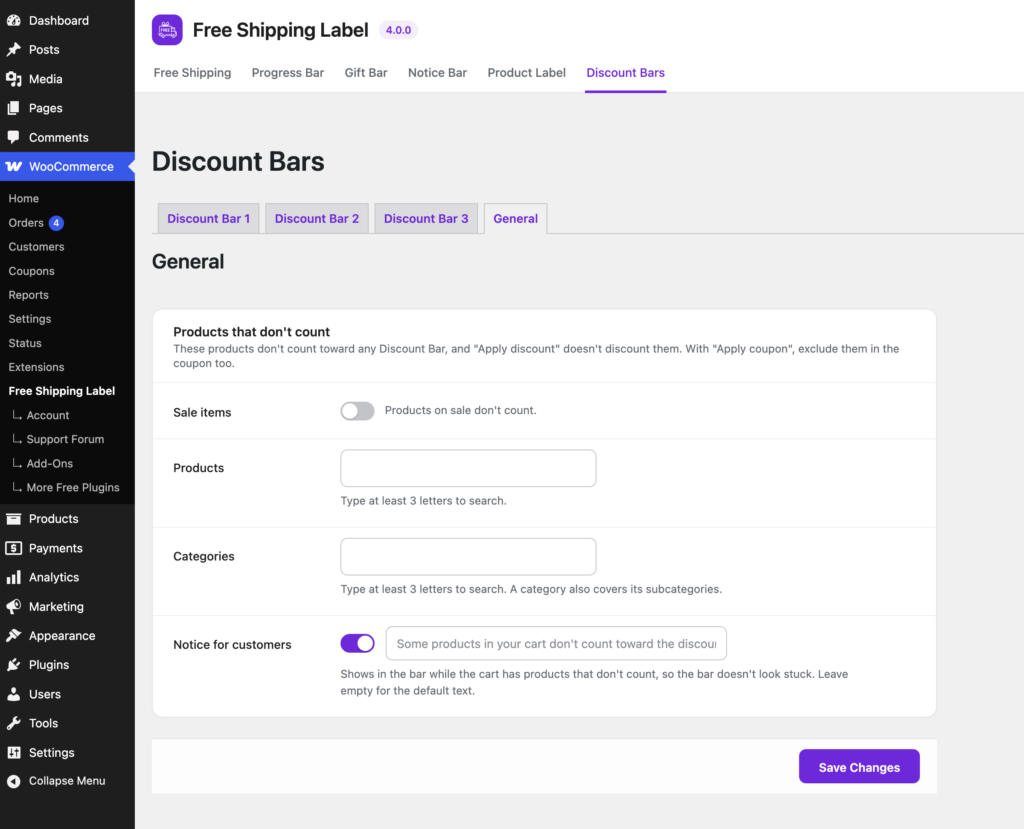
- Exclusions: leave sale items, products or categories out of the discount thresholds. An optional note in the bar tells customers when items in their cart don’t count.
- Discount icons in solid, outline and duotone styles, to match the new free shipping and gift icons.
- A lighter storefront, as the add-on stops loading scripts it doesn’t need.
The release includes bug fixes as well.
Upgrading from 3.5
Free Shipping Label 4.0 automatically migrates your existing settings, so you don’t need to configure the plugin again. Your current progress bar design and behavior are preserved wherever possible.
A few settings have been renamed, moved, or replaced with simpler controls. Here’s what you should know before upgrading.
Before you update
- Free Shipping Label 4.0 needs WordPress 6.8 or later. Version 3.5 ran on 6.4.
- If you use FSL Discount, update it to 1.1.0 at the same time. The new versions depend on each other.
- If you have a staging site, try the update there first.
The Multilingual setting is gone
In 3.5, turning on Multilingual made the bar ignore your saved texts and show the plugin’s default texts, translated into each language. Version 4.0 removes the setting and handles each text on its own: an empty field shows the translated default, and a text you type replaces it.
If you had Multilingual on, you don’t need to do anything. The update clears the saved texts that Multilingual was hiding, so customers keep seeing the translated defaults. FSL Discount 1.1.0 does the same for its bars. If you had Multilingual off, nothing changes for you.
Texts you emptied to hide them
In 3.5, you hid a title or a description by emptying its field. In 4.0, an empty field shows the default text, and the new switch hides it. The update turns the switch off for the texts you had emptied, so they stay hidden.
Look over your bar once after updating. If a text you had removed now shows the default wording, turn its switch off. The Product Label has no switch, so if you had emptied its text, the update turns the label off.
Renamed and moved settings
- The General Settings tab is now called Free Shipping.
- “Layout for Multiple Goals” is now called “Layout”.
- The custom threshold checkbox is now a switch beside the amount. Your amount and its on or off state stay as they were.
- Some older layouts have newer versions. If your bar uses one, it keeps working, and the layout picker names the layout that replaces it.
Custom thresholds per shipping method Pro
Shipping methods without their own custom threshold now use your global custom threshold. In 3.5, the global amount stopped applying as soon as one method had its own. If you had both set, the update clears the global amount, so your bar keeps the thresholds it showed before.
Gift Bar icons Pro
The Gift Bar’s icons now follow the Progress Bar’s icon style by default. If your Gift Bar used its own icon style, the update keeps it.
The documentation explains each setting. You can get the free version from WordPress.org, and Free Shipping Label Pro adds the design presets, the circular bar layouts and the other features marked Pro.
Ready to try Free Shipping Label 4.0?
Free Shipping Label 4.0 makes it easier to build, customize, and manage your free shipping progress bar — whether you prefer a simple design or a more advanced setup with multiple goals.
Already using Free Shipping Label? Update to version 4.0 and explore the redesigned settings. New to the plugin? Get started with the free version and upgrade to Pro whenever you need more design and placement options.