
This section controls how and when subscribers are notified about price drops.
You can choose between automatic and manual notifications, set the check frequency, and customize the email content that users receive. These options help you manage alerts in a way that fits your store’s workflow and communication style.
General
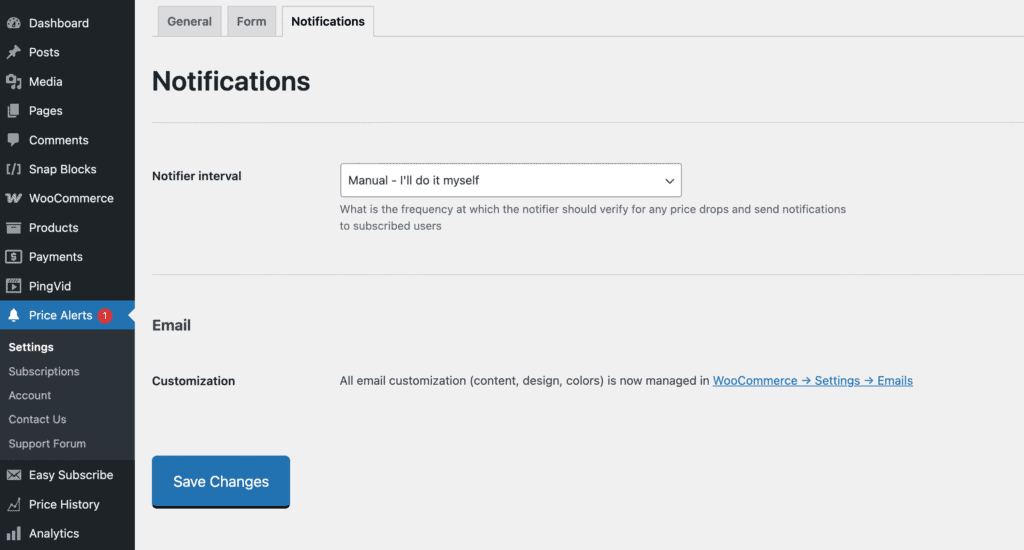
Notifier Interval
Controls how often the plugin checks for pending alerts and sends notification emails to subscribers.
There are two steps in the process:
- Price Change Detection:
Whenever a product’s price changes, the plugin automatically checks all subscribers for that product.
If the new price is equal to or lower than a subscriber’s target price, their status is set to pending. - Notifier (Scheduler):
The notifier runs on a schedule and looks for any pending subscribers. If it finds them, it sends notification emails and marks them as notified.
You can choose from the following intervals:
- Manual – I’ll do it myself: Notifications won’t be sent automatically. Instead, go to the Subscriptions page, select the pending subscribers, and click the Notify button.
- Every 5 minutes to Once a week: These automatic options use WordPress’s scheduler (WP-Cron) to handle the notifications for you.
This setup gives you flexibility—go hands-on when needed, or let it run automatically in the background.