
Adding a progress bar to your store might seem like a small design tweak — but it can have a big impact. By showing shoppers exactly how close they are to free shipping, a discount, or even a free gift, you create a clear incentive to add more to the cart. It’s a simple, visual way to encourage spending without being pushy. In this post, we’ll look at how progress bars work, where to place them, and how to use them effectively to increase average order value and guide shoppers through a more rewarding cart experience.
Why Use a Progress Bar in eCommerce?

Progress bars do more than just look nice — they tap into powerful behavioral psychology. When shoppers see they’re close to unlocking a reward (like free shipping or a discount), they’re more likely to take action to get there.
This is called the goal gradient effect: people work harder to complete a goal the closer they are to it. A well-placed progress bar leverages that instinct by making the goal visible and attainable.
👉 Want to dive deeper into the psychology? Here’s a full post on why free shipping is so effective.
It’s also about clarity. Shoppers don’t like surprises at checkout — especially around shipping costs. A progress bar sets expectations early. Instead of guessing, customers see exactly how much more they need to spend to unlock perks.
And it works.
Stores using progress bars often report increases in:
- Average order value (AOV)
- Conversion rates
- Customer satisfaction (when rewards are clearly earned)
Whether you’re running a simple apparel store or a complex multi-product shop, a progress bar can silently guide users to spend more — all without needing popups, gimmicks, or aggressive upsells.
Beyond Free Shipping: What Can a Progress Bar Show?
Free shipping is a great incentive, but it’s just the beginning.
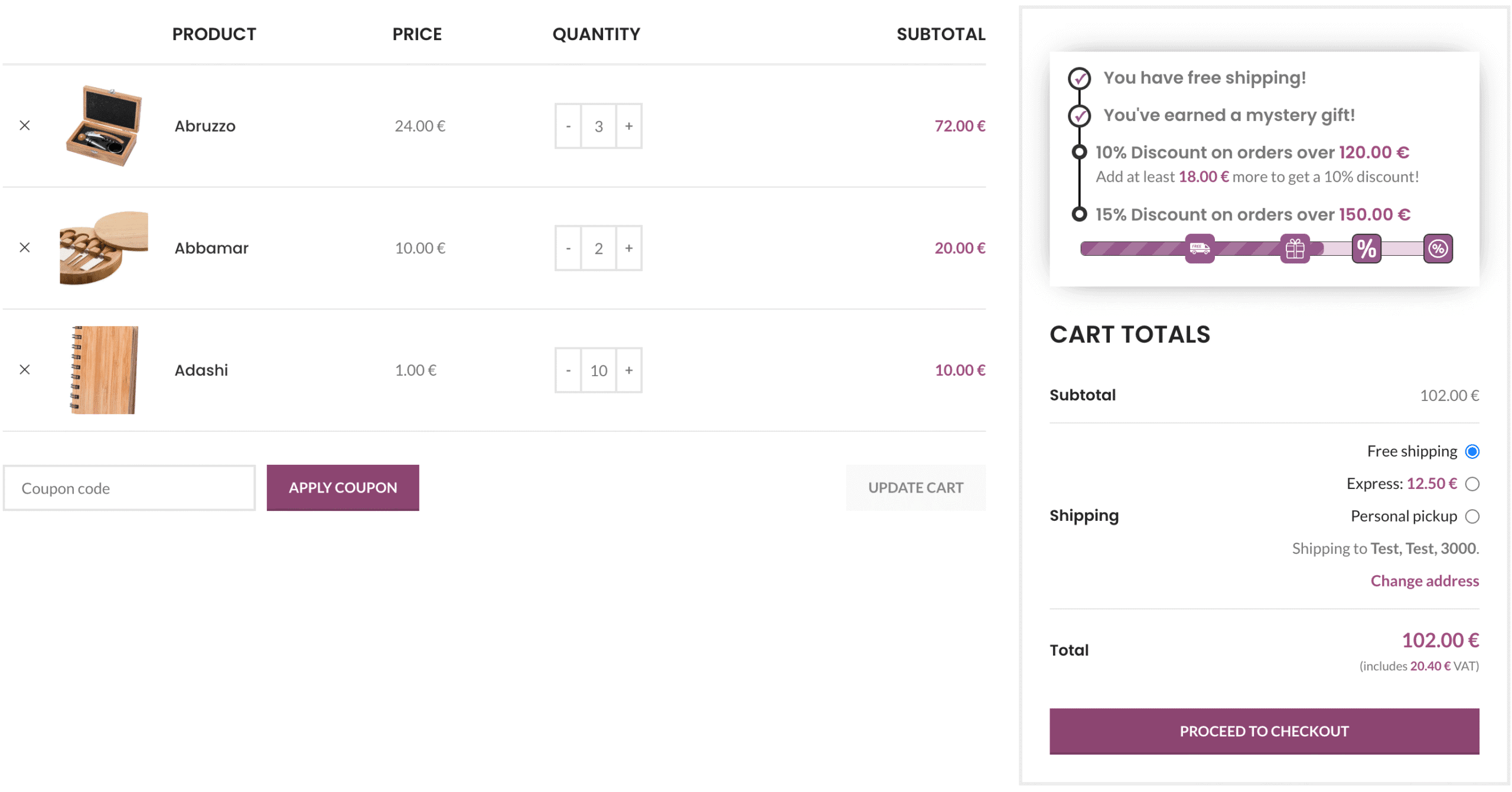
Modern progress bars can guide shoppers through multiple milestones in a single, seamless experience. After reaching a free shipping threshold, you can offer an additional perk — like a free gift — and even introduce discount tiers to keep the momentum going.
Here are just a few examples of what a progress bar can communicate:
- Free shipping threshold – e.g. “You’re $8 away from free shipping”
- Gift unlock – e.g. “Spend $70 more to get a free mystery gift”
- Tiered discounts – e.g. “Spend $100 for 10% off, $150 for 15% off”
Each step gives the shopper a new reason to keep adding items — without interrupting their experience. It’s subtle, visual upselling that rewards rather than annoys.
Even better: showing all of these steps in a single, unified bar helps shoppers see a clear path. No confusion. Just goals, and rewards.
This approach doesn’t just increase cart value — it makes the whole experience feel more engaging and even a little fun.
Where Should You Show a Progress Bar?

The most common place for a progress bar is the cart page — and for good reason. Shoppers are reviewing their items and still open to adding more. But with the right setup, a progress bar doesn’t have to stay confined to the cart.
Here are several strategic placements that can boost visibility and impact:
- Cart page – The classic spot. Shoppers are primed to adjust their order here.
- Checkout page – Can work if kept minimal and distraction-free. Helpful for reminding users they just missed a reward.
- Mini cart / side cart – Many WordPress themes and plugins include a floating or slide-in mini cart. Adding a progress bar here helps keep spending goals visible without interrupting the experience.
- Product pages – Subtly motivate customers by showing what their order could unlock with one more item.
- Shop sidebar (archive pages) – Place a progress bar alongside filters so goals stay top-of-mind during browsing.
The key is to match placement with intent. If a customer is just browsing, a sidebar or product-page notice works best. If they’re reviewing or finalizing a purchase, cart and checkout placements make more sense.
With the right plugin, you can even combine placements — for example, show a compact bar in the mini cart and a full version on the cart page.
Should You Show It on the Checkout Page?

The checkout page is a sensitive moment. Your customer is ready to buy — and anything that distracts or complicates the experience could lead to abandonment. So… should you add a progress bar here?
✅ The Case For It:
- A subtle progress bar can give one last push if the customer is just below a reward threshold (like $3 short of free shipping).
- It can reinforce the feeling of earning something — especially if the customer already qualified for free shipping or a gift.
⚠️ The Case Against It:
- If overdone, it might distract from completing the purchase.
- Encouraging upsells at this stage might frustrate shoppers who just want a quick checkout.
💡 Best Practice: If you want to display a progress bar at checkout, keep it visually minimal and make sure it doesn’t push critical information (like payment options) too far down the page.
With flexible styling and positioning, you can adapt the bar to match the flow of your checkout. Some store owners prefer to hide the bar here entirely, while others keep it visible until the very end — especially if their rewards are compelling enough to warrant a second look.
How to Add a Progress Bar to Your WooCommerce Store
There are a few ways to add a progress bar to your store. Some themes may include basic support for this feature, and there are standalone plugins that add free shipping indicators. But if you want full control over where the bar appears and what it shows — including things like free gifts and discount milestones — you’ll likely want something more customizable.
That’s where a plugin like Free Shipping Label comes in.
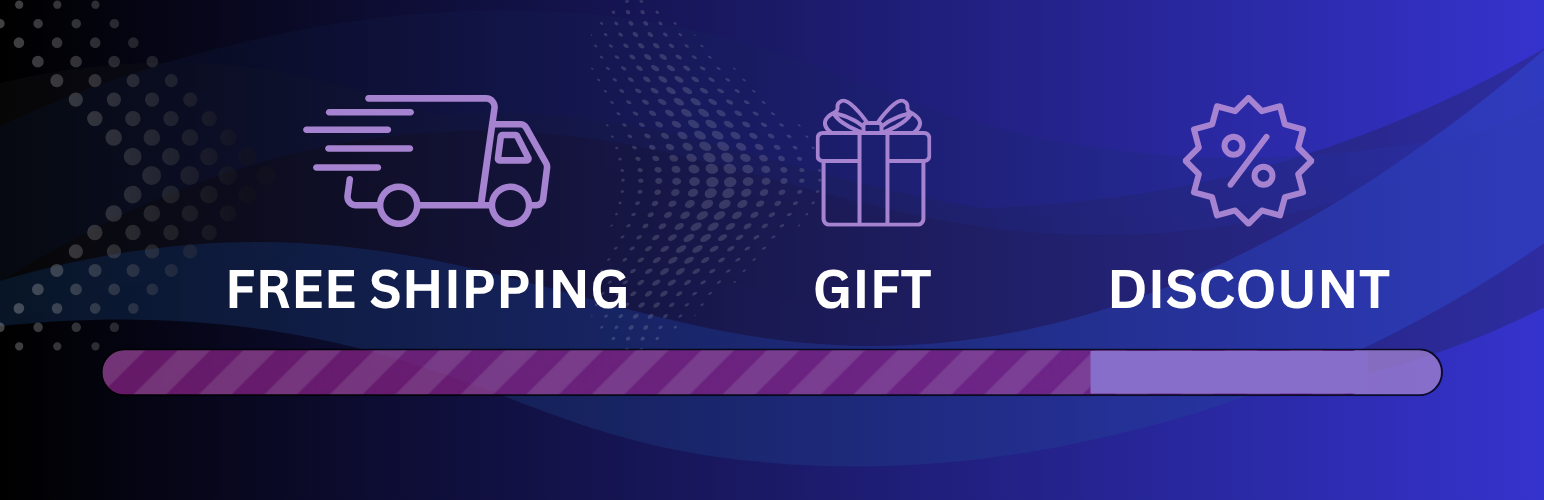
The free version makes it easy to display a clean, animated progress bar that updates in real time as customers add items to their cart. Out of the box, it supports:
- Free shipping threshold progress
- Custom messages before and after the goal is reached
- Display on cart, checkout or mini cart,
- A built-in Gift Bar module to unlock a free gift after the shipping goal is reached
Need more flexibility? The Pro version adds advanced features like:
- Threshold icons
- Multiple layout styles (including circular progress)
- Styling options for bars, messages, and icons
- Compatibility with currency switchers, cart plugins, and Woo blocks
And if you want to go beyond shipping and gifts, the FSL Discount Add-On lets you add up to three more reward levels, including:
- Percentage-based discounts
- Auto-applied coupon codes
- Custom messaging and reward icons
Together, these tools let you create a highly personalized and motivating cart experience — all without writing any code.
📘 Full setup instructions are available in our documentation.
Tips for Using Progress Bars Effectively
💡 Be Specific: “You’re $6.50 away from free shipping” works better than vague phrases like “Almost there!” Precision creates motivation.
💡 Use Realistic Thresholds: Set goals that feel achievable. If your average order is $40, don’t set free shipping at $150 unless it’s part of a deliberate strategy.
💡 Stack Goals Strategically: Start with free shipping as the first milestone, then add a free gift or discount as higher-value incentives.
💡 Keep Messaging Positive: Instead of “You haven’t qualified yet,” use wording like “Just $10 more to unlock your free gift.”
💡 Leverage FOMO Gently: A little urgency goes a long way — try subtle phrases like “Almost gone” or “Limited-time gift” near the bar when appropriate.
💡 Don’t Hide It Too Early: When a customer reaches a goal, show a clear confirmation. Let them enjoy the win instead of removing the bar immediately.
Final Thoughts
Progress bars are more than just a nice UI touch — they’re a powerful way to influence customer behavior and increase average order value. When used thoughtfully, they create a smoother, more goal-driven shopping experience that benefits both the customer and the store owner.
Whether you’re offering free shipping, a gift, or discounts, visual cart goals help set clear expectations and gently guide shoppers toward bigger checkouts — without relying on pop-ups or hard-sell tactics.
If you’re looking for a flexible and customizable way to add a progress bar to your store, consider trying our Free Shipping Label plugin. It’s free to start, easy to set up, and supports more advanced features like multiple reward tiers, customizable layouts, and optional add-ons when you’re ready to go further.
Small incentive, big impact — sometimes all it takes is a little nudge in the right direction.