
The Calendar settings control how the booking calendar looks and behaves on your product pages. You can choose the calendar language and date format, customize its appearance, and define which dates customers can select.
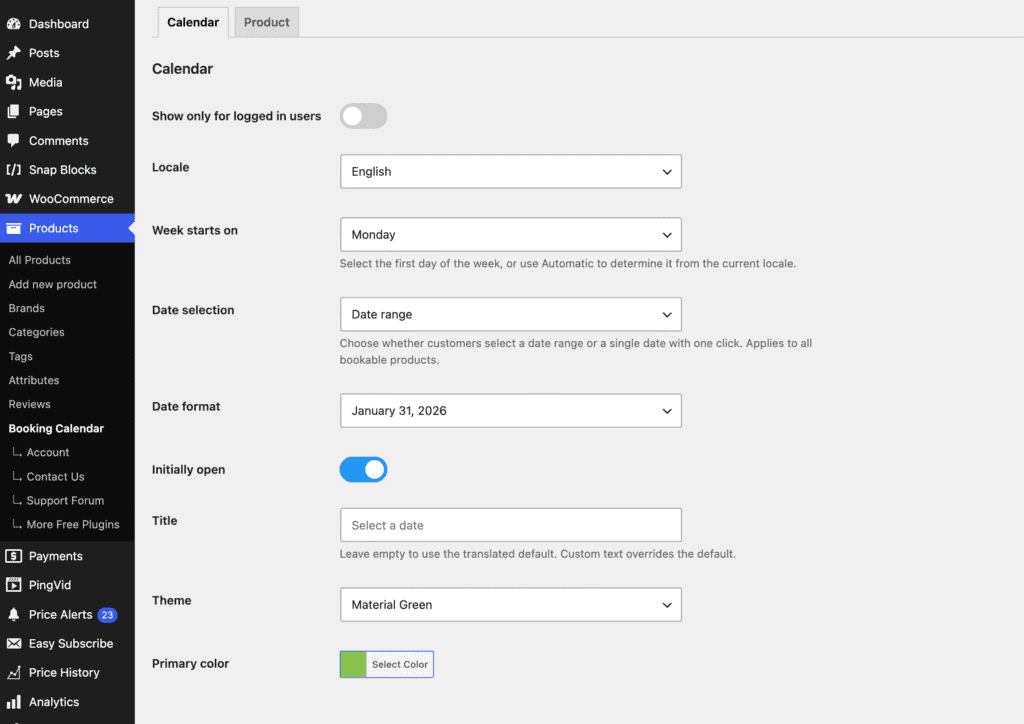
Show only for logged in users
Enable this option to show the booking calendar only to logged-in customers. Logged-out visitors will not be able to select booking dates.
Locale
Choose the language used in the booking calendar. This affects month names, weekdays, and other calendar text.
Week starts on
Choose which day is displayed as the first day of the week in the booking calendar. Select Monday, Sunday, or Automatic to determine the first day based on the selected locale.
Date selection
Choose how customers select booking dates.
- Date range – customers select a start and end date for their booking.
- Single date – customers select a single booking date with one click.
This setting applies to all bookable products.
Date format
Choose how selected dates are displayed to customers, for example 31/01/2026, 2026-01-31, or January 31, 2026.
Initially open
Enable this option to display the calendar immediately when the product page loads. When disabled, customers need to click the date field to open the calendar.
Title
Customize the title displayed above the booking calendar.
Leave this field empty to use the default localized title based on the selected language.
If you enter a custom title, the same text will be used for all languages.
Theme
Choose the visual style of the calendar. Several predefined themes are available, including Default, Dark, Material, Airbnb, and Confetti.
Primary color
Choose the primary color used for highlighted and selected dates in the calendar.
Booking Availability
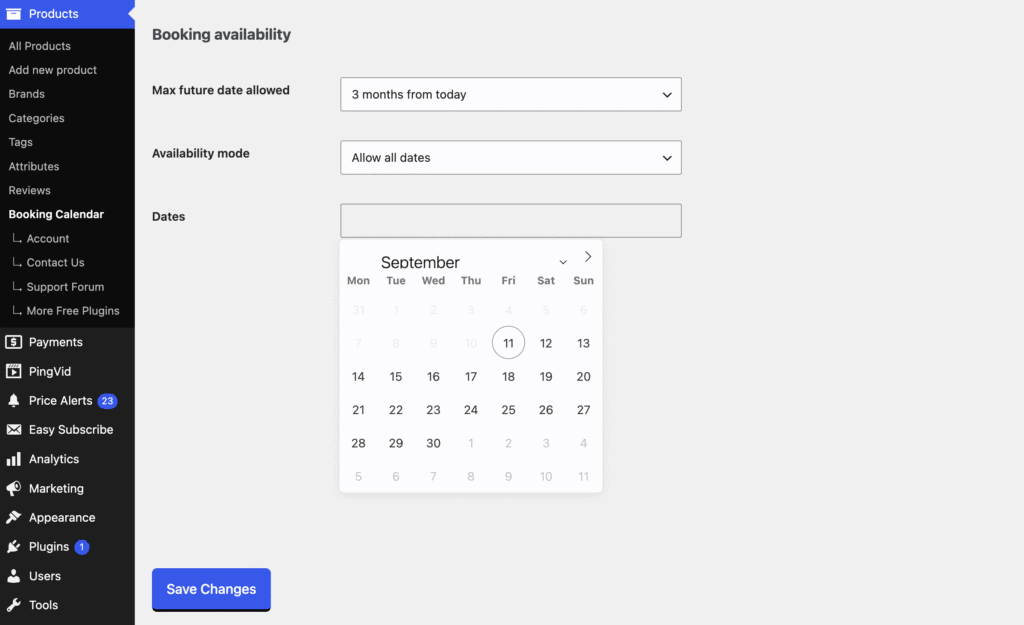
These options control how far in advance customers can book and which dates are available for selection.
Max future date allowed
Set how far into the future customers can make a booking. You can allow bookings without a limit or restrict them to 1 week, 1 month, 3 months, 6 months, or 1 year from today.
Availability mode
Choose how available dates are handled:
- Allow all dates – all future dates are available unless already booked.
- Allow only selected dates – only the dates selected below can be booked.
- Disable selected dates – all dates are available except the dates selected below.
When using Allow only selected dates or Disable selected dates, select the applicable dates in the calendar below.
These availability settings are global and apply to all bookable products. With Easy Booking Calendar Pro, you can override the global availability settings for individual products when needed.