
The Product settings control how booking prices are calculated and how booking products behave on the product page.
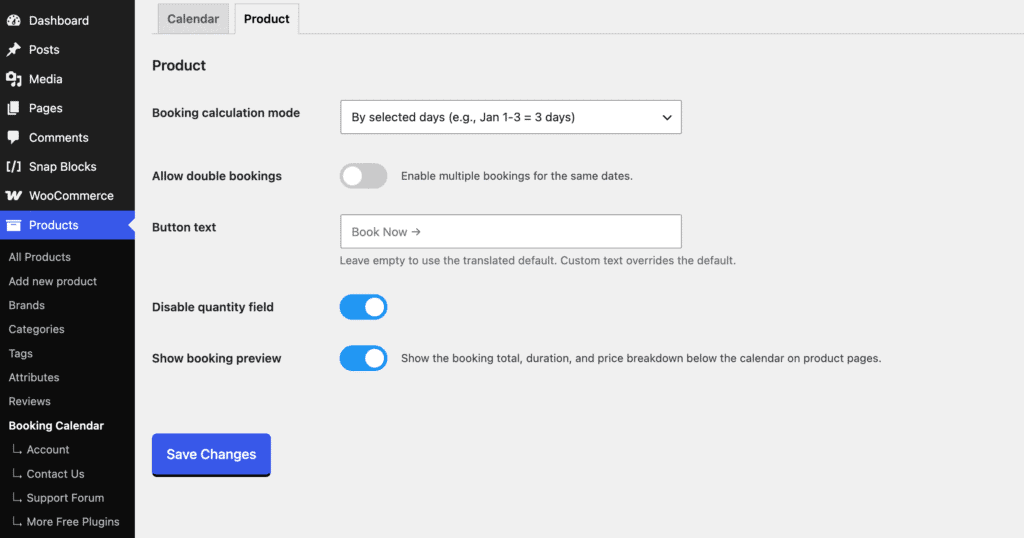
Booking calculation mode
Choose how the number of booked days is calculated.
- By nights – calculates the booking by the number of nights between the selected dates. For example, Jan 1–3 = 2 nights.
- By selected days – counts every selected day. For example, Jan 1–3 = 3 days.
The product price is multiplied by the calculated number of nights or days.
Allow double bookings
Enable this option to allow multiple customers to book the same dates. When disabled, booked dates become unavailable for future bookings.
Button text
Customize the text displayed on the booking button.
Leave this field empty to use the default localized button text based on the selected language.
If you enter custom text, the same text will be used for all languages.
Disable quantity field
Enable this option to hide the WooCommerce quantity field on booking products.
Show booking preview
Enable this option to show a booking summary below the calendar, including the booking duration, total price, and a detailed price breakdown.
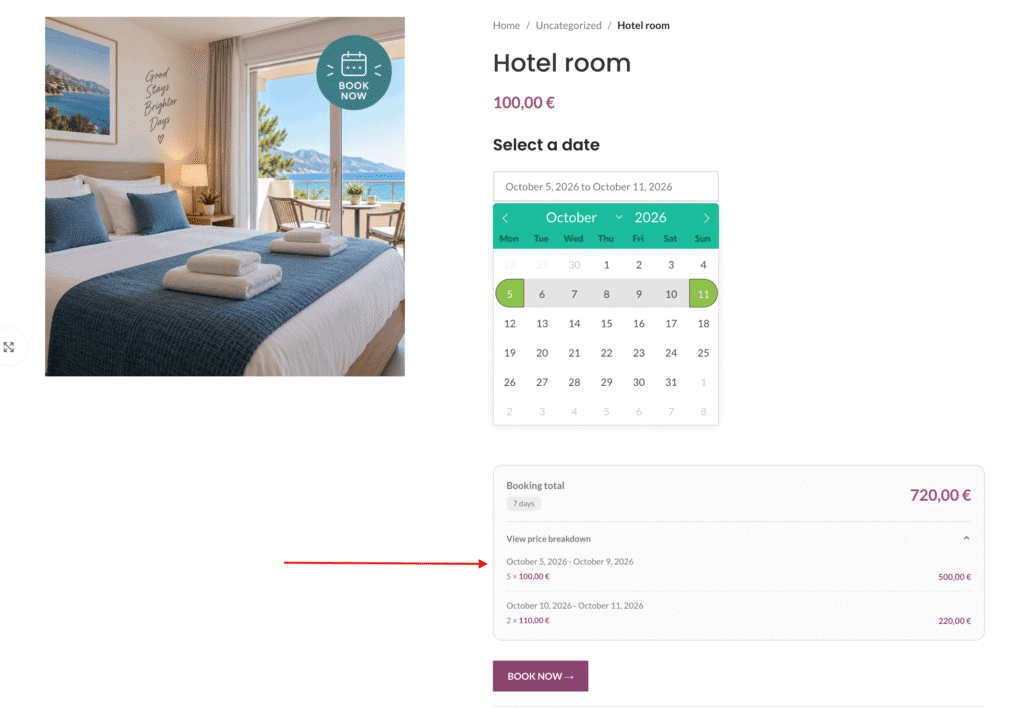
The price breakdown is especially useful when different dates have different prices, as customers can clearly see how the final booking total is calculated before booking.
Booking Preview is available in: Easy Booking Calendar Pro.