Most customers don’t increase their cart value on their own.
They find a product, add it to the cart, and head straight to checkout. No extra items, no upgrades — just a single purchase. That’s the default behavior in most WooCommerce stores.
This is exactly why free shipping bars are so effective.
When customers see they’re “€10 away from free shipping”, many will add one more product to avoid paying for delivery. It’s a small psychological push that can significantly increase your Average Order Value (AOV) without changing your pricing or traffic.
The challenge is choosing the right plugin.
Some free shipping bar plugins are simple and lightweight, while others offer advanced targeting, multiple placements, and dynamic updates across the cart, checkout, and product pages.
In this guide, we’ll compare the best free shipping bar plugins for WooCommerce in 2026, break down what each one does well (and where it falls short), and help you choose the right solution for your store.
Table of Contents
Why Free Shipping Bars Work (Quick Psychology)
Free shipping isn’t just a perk — it’s a trigger.
When customers see a message like “You’re €10 away from free shipping”, it creates a small, actionable goal. Instead of guessing what to do next, they know exactly how much more they need to spend.
This taps into a few simple behaviors:
- Goal completion — people naturally want to “finish” what they started
- Loss aversion — paying €5–€10 for shipping feels worse than adding another product
- Perceived value — getting “free shipping” feels like a win, even if they spend more
A static message like “Free shipping on orders over €75” doesn’t have the same effect. It’s easy to ignore.
A dynamic progress bar, on the other hand, constantly updates as the cart changes. That makes the goal visible and keeps the customer engaged.
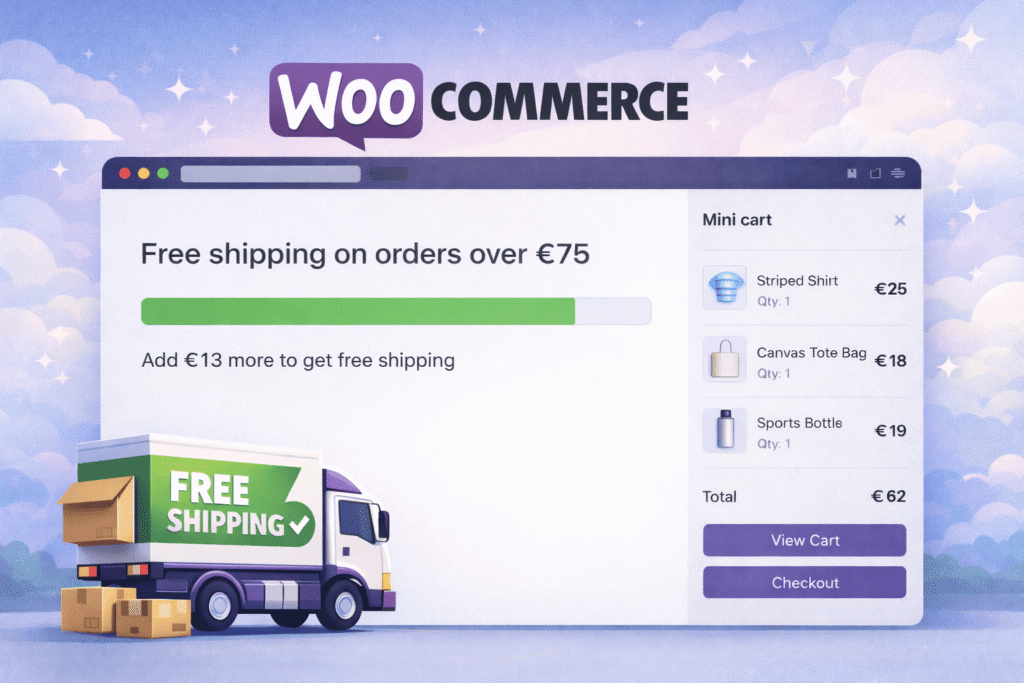
Example:
- Cart value: €62
- Free shipping threshold: €75
- Message: “Add €13 more to get free shipping”
That’s often just one product away — and that’s exactly the point.
Keep in mind: Free shipping bars don’t increase conversions by magic. They work best when the threshold is realistic and aligned with your store’s pricing.
What to Look for in a Free Shipping Bar Plugin
Not all free shipping bar plugins work the same. Some are just basic notice bars, while others integrate deeply with WooCommerce and update dynamically as the cart changes.
Here’s what actually matters when choosing one:
Dynamic Cart Updates
The bar should update instantly when products are added, removed, or quantities change.
If the message stays static or requires a page refresh, it loses most of its impact.
Important: Look for AJAX-based updates, especially for stores using mini carts or side carts.
Placement Flexibility
Where the bar appears can be just as important as what it says.
Common placements include:
- Cart page
- Checkout
- Product page
- Mini cart / side cart
Some plugins limit you to one position, while others let you show the bar in multiple places.
More visibility = more chances to influence the purchase decision.
Support for Shipping Zones
If your store has different free shipping thresholds by location, this becomes critical.
A good plugin should:
- Detect the correct shipping zone
- Display the correct threshold
- Update messaging based on the customer’s location
Without this, customers may see incorrect information — which kills trust fast.
Multi-Currency Compatibility
If you’re using a currency switcher, the bar should reflect converted values correctly.
Otherwise, you end up with confusing messages like:
- “You’re €10 away” (while browsing in USD)
That’s a quick way to lose credibility.
Customization Options
At minimum, you should be able to control:
- Message text
- Colors and styling
- Progress bar visibility
- Position on the page
Some plugins go further with animations, icons, or multiple message states.
Nice to have — but not essential.
Performance Impact
This is often overlooked.
A poorly built plugin can:
- slow down cart updates
- conflict with themes or other plugins
- break in AJAX-heavy setups
Keep in mind: A simple, well-built plugin is usually better than a feature-heavy one that tries to do everything.
Choosing the right plugin isn’t about picking the one with the most features.
It’s about finding the one that fits your store setup and actually works reliably in your checkout flow.
Best Free Shipping Bar Plugins for WooCommerce
Not all free shipping bar plugins are built the same.
Some simply display a static message at the top of the page. Others dynamically update based on cart value, support different shipping zones, and work across product pages, cart, and checkout.
Here are the most relevant options — with real differences that matter in practice.
Free Shipping Label and Progress Bar for WooCommerce (by Devnet)
This plugin goes beyond a simple free shipping bar.
While most plugins focus on showing a message in one place, this one is built around controlling how free shipping is communicated across the entire store — including product-level visibility and multiple interaction points.
A key difference is the combination of:
- product badges (highlight items that already qualify)
- progress bar + gift incentives (push users toward the goal)
- Highly customizable design — match the bar and labels to your store style
For stores that want to go further, the progress bar can also be extended with additional steps — for example, introducing discounts as customers reach higher cart values, turning a single free shipping goal into a multi-step incentive.
That mix makes it less of a “bar plugin” and more of a free shipping strategy tool.
Free version includes:
- live progress bar
- cart & checkout display
- dynamic free shipping messages
- product badges (simple & variable products)
- gift progress bar
Pro version adds:
- full styling control (design, layout, appearance)
- flexible placement across product, cart, checkout, and mini cart
- integrations with side carts (Elementor, FunnelKit, WPC Fly Cart…)
- shortcode and block support
- notice / flyout bar (on add to cart)
- advanced label control (image/text, selective display)
- custom thresholds per shipping zone & method
- multi-currency support (FOX, CURCY, WPML)
Pros:
- Combines product-level signals + cart incentives, not just one bar
- Works across multiple touchpoints (not limited to header/cart only)
- Can adapt to complex setups (zones, currencies, different shipping plugins)
Cons:
- Advanced features require Pro
- The flexibility comes with a trade-off — achieving a very specific design may require some tweaking in the style settings
Best for: Stores that want to actively guide customers toward free shipping, not just inform them.
WooCommerce Free Shipping Bar (by VillaTheme)
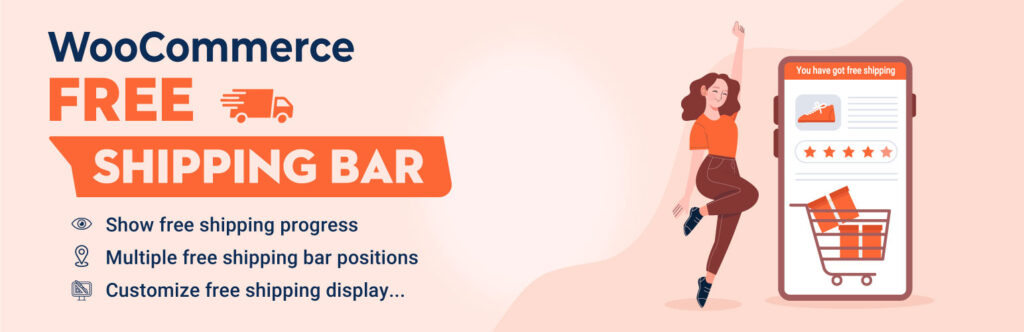
This is one of the more feature-rich plugins in the “classic bar” category.
It displays a free shipping message (top or bottom of the page) along with a progress indicator showing how close the customer is to the threshold.
Free version includes:
- top/bottom bar display
- progress bar with percentage
- customizable messages and styles
Pro version adds:
- automatic location detection (IP-based)
- shipping zone-based thresholds
- timing controls (delay, visibility rules)
- more advanced behavior and targeting
Pros:
- Flexible design and positioning
- Can adapt messaging based on customer location (Pro)
- One-time payment for Pro version
Cons:
- Advanced logic locked behind Pro
- Setup can get complex for non-technical users
Best for: Stores that want a customizable top-bar style solution with optional geo-based targeting.
WPC Free Shipping Bar for WooCommerce (by WPClever)
This is a lightweight, no-frills plugin.
It does the basics: show how much is left for free shipping and display a simple progress bar.
Features:
- display in cart, checkout, or mini cart
- shortcode support (place anywhere)
- basic styling (colors, shapes)
Pros:
- Completely free
- Easy to set up
- Compatible with WPC Fly Cart plugin
Cons:
- Limited design flexibility
- No dynamic logic beyond basic cart total
Best for: Small stores that just need a simple “you’re €X away” message without extra complexity.
Free Shipping Bar – Amount Left (by WPFactory)
This plugin takes a slightly different approach.
Instead of focusing on a visual progress bar everywhere, it’s more about displaying dynamic “amount left” messages and giving you control over how those messages behave.
It can still show a progress bar, but the core strength is in message logic and conditions, not UI flexibility.
Free version includes:
- customizable “amount left” messages
- full HTML support for message design
- dynamic variables (cart total, remaining amount, etc.)
- shortcode and widget support
- ability to set thresholds by currency or user role
- basic placement in cart
Pro version adds:
- mini cart and checkout display
- AJAX real-time updates
- site-wide bar (banner)
- advanced visibility rules (by category, role)
- thresholds per shipping method
- add-to-cart triggers and dynamic messages
Pros:
- Strong control over messaging logic (variables, conditions, thresholds)
- Works well if you want custom messaging instead of just a visual bar
- Free version already includes a decent amount of logic
Cons:
- Key UX features (AJAX, mini cart, checkout visibility) are Pro-only
- Can feel more technical to configure compared to simpler plugins
Best for: Stores that want precise control over free shipping messages and rules, rather than focusing on visual presentation.
Free Shipping Progress Bar (by FMEAddons)
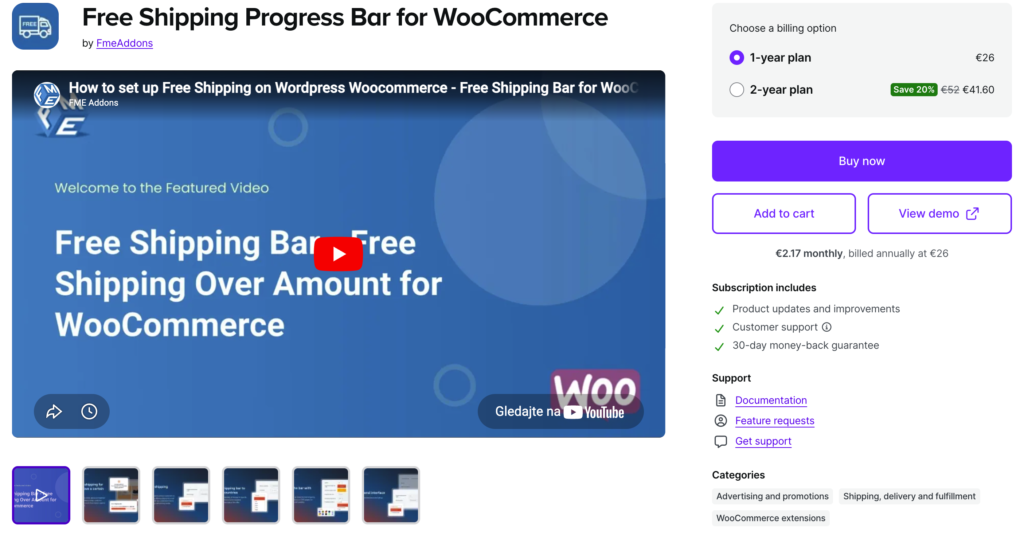
This is a conversion-focused premium plugin that combines free shipping messaging with promotional targeting.
It’s not just about showing the threshold — it also allows more marketing-style behavior.
Features:
- real-time progress updates
- country-based targeting
- customizable messages and design
- flexible placement (top, bottom, custom positions)
- optional shipping discounts (not just free shipping)
Pros:
- Strong targeting capabilities (by country)
- Flexible design and messaging
- Can combine free shipping with other incentives
Cons:
- No free version
- Design feels basic and a bit outdated compared to newer plugins
Best for: Stores that want a simple promotional free shipping bar with basic targeting, without needing advanced integrations or UI flexibility.
Which Free Shipping Bar Plugin Is Right for You?
At this point, most plugins can do the same basic thing — show how much is left until free shipping.
The real difference is how far you want to take it.
If you just want a simple message
If your goal is to test the idea or keep things minimal, a basic plugin is enough.
These typically:
- show a simple “you’re €X away” message
- work in the cart or as a top bar
- require almost no setup
This works well for smaller stores or early-stage projects.
If you want more control over messaging
As your store grows, messaging starts to matter more.
You may want to:
- adjust thresholds for different customers
- show different messages based on cart value
- control when the message appears
Plugins focused on message logic can handle this — but they often trade off visual impact.
If you want to actively increase AOV
This is where things change.
Instead of just informing customers, you’re guiding their behavior throughout the entire purchase flow.
That usually means:
- showing progress in multiple places (product, cart, checkout, mini cart)
- reinforcing the goal at every key step
- highlighting products that already qualify for free shipping
- adding incentives (like gifts or discounts) as customers get closer
In practice, this often requires a plugin that can:
- integrate with different mini cart and side cart solutions
- work alongside third-party shipping plugins
- adapt to different shipping zones and currencies
- trigger additional incentives (like a gift bar or discount logic tied to progress)
In many cases, combining multiple touchpoints (for example, product page + mini cart + checkout) performs significantly better than showing a single message in one place.
This kind of setup turns free shipping from a simple message into a conversion mechanism.
Important: The plugin itself is not the strategy.
What actually increases revenue is how consistently and clearly you present the goal — and how easy you make it for customers to reach it.
Conclusion
Free shipping bars are one of the simplest ways to increase average order value — but only if they’re used correctly.
A basic message can work. But in most cases, results come from how often and where customers see the goal, not just from showing it once.
The more visible and consistent the incentive is, the more likely customers are to act on it.
If you want to get the most out of free shipping, the next step is setting the right threshold.
If you’re not sure what that number should be, check out our guide on how to set the perfect free shipping threshold.
.