
Anchor Price lets you display an additional reference price alongside the current product price.
In Croatia, displaying this additional price is mandatory for traders and service providers from October 1, 2026. For newly covered products and services, the reference price is the price applicable on September 10, 2026. Product categories already covered by the previous regulation continue to use the price applicable on May 2, 2025. The additional price must also be displayed on websites when applicable. Narodne Novine
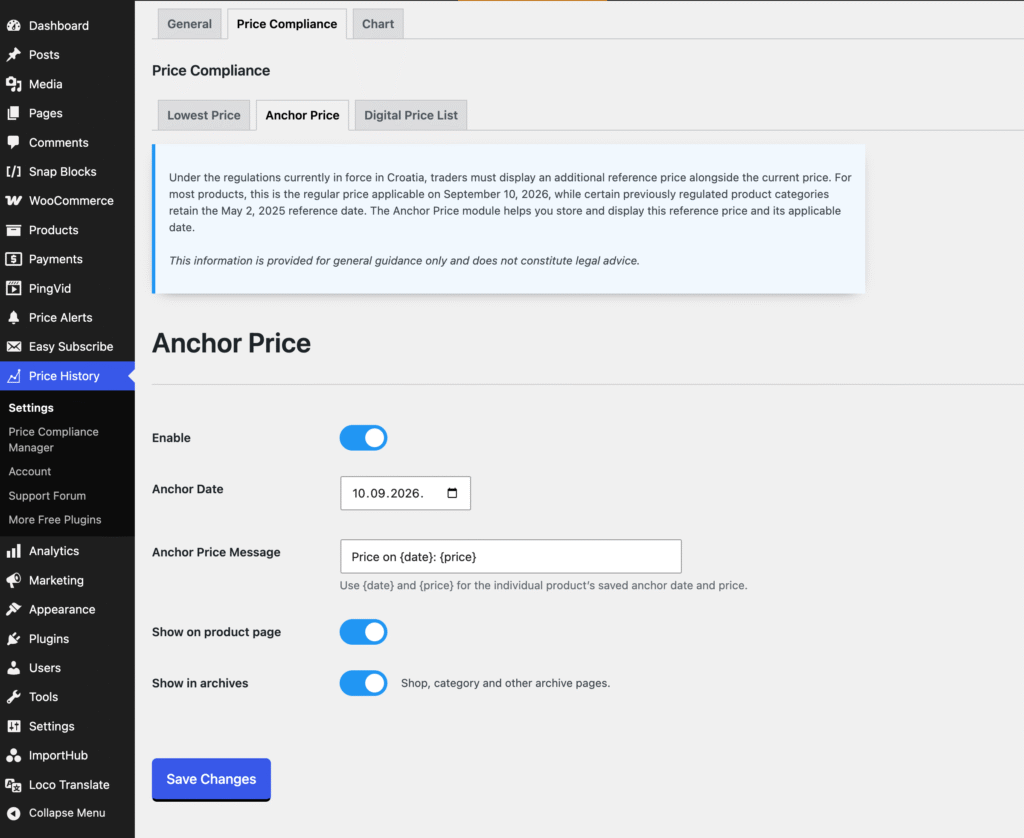
Enable
Enable or disable the Anchor Price module.
Anchor Date
Set the default reference date used to determine the anchor price from recorded product price history.
Anchor Price Message
Customize the text displayed with the anchor price. Use {date} to display the product’s saved anchor date and {price} to display its anchor price.
Show on Product Page
Display the anchor price alongside the product price on individual product pages.
Show in Archives
Display the anchor price on shop, category, and other product archive pages.
Adding an Anchor Price to a Product
Anchor Price fields are available directly in the WooCommerce product editor. For simple products, they are displayed below the regular and sale price fields. For variable products, the same fields are available for each individual variation.
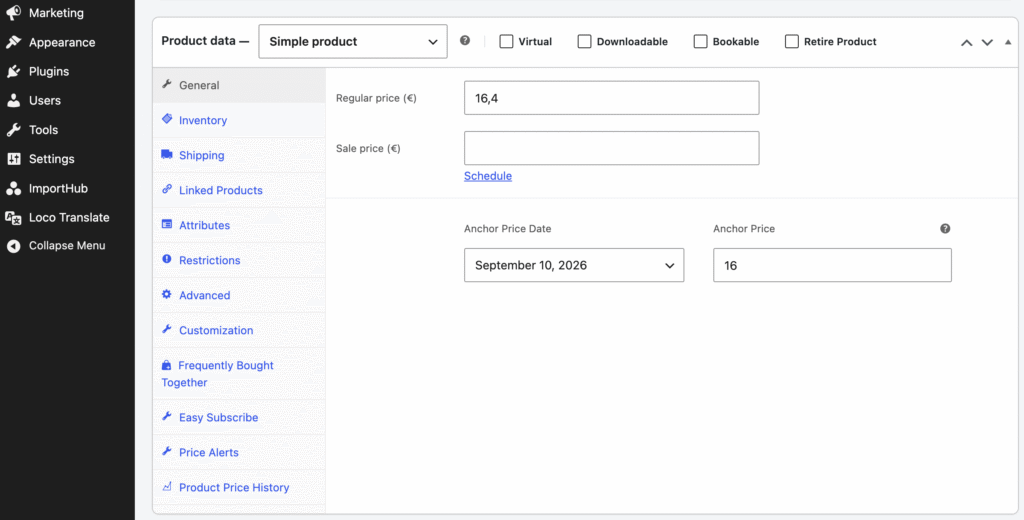
Anchor Price Date
Select the date on which the anchor price was applicable.
For existing products without a previously saved anchor date, the date configured under Price Compliance → Anchor Price is used as the default.
Since the Anchor Price feature is designed around Croatian price display requirements, you can quickly select one of the two predefined reference dates:
- May 2, 2025
- September 10, 2026
Select Custom date if a different reference date applies to the product.
When creating a new product, the current date is used by default.
Custom Date
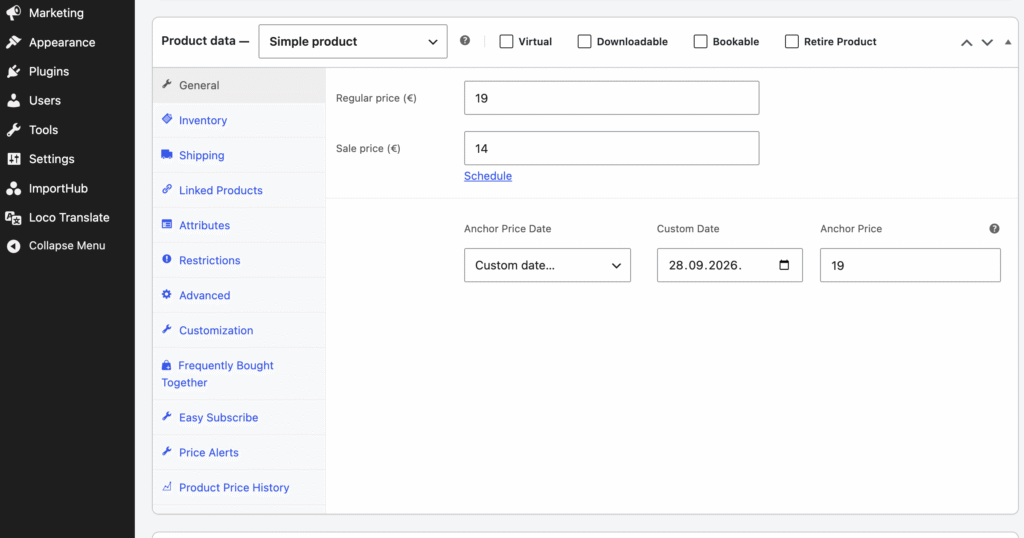
This field appears when Custom date is selected. Use it to specify the exact date on which the entered anchor price was applicable.
Anchor Price
Enter the product price that was applicable on the selected Anchor Price Date.
For a newly published product, the anchor price should normally be the product’s regular price applicable on the date the product is first offered for sale.
The same Anchor Price Date and Anchor Price fields are available for individual variations of variable products.
For existing products, Product Price History can use the recorded price history to determine the price applicable on the selected reference date.
Learn how to use the Price Compliance Manager →