
The Digital Price List module automatically generates and publishes your WooCommerce product prices as a public, machine-readable CSV file.
Under the regulations currently in force in Croatia, traders and service providers with a website are required to publish current price lists online in a machine-readable CSV or XML format and keep previous versions publicly available for at least 30 days. The Digital Price List module helps automate this process by generating a new price list every day and maintaining the required archive.
Settings Overview
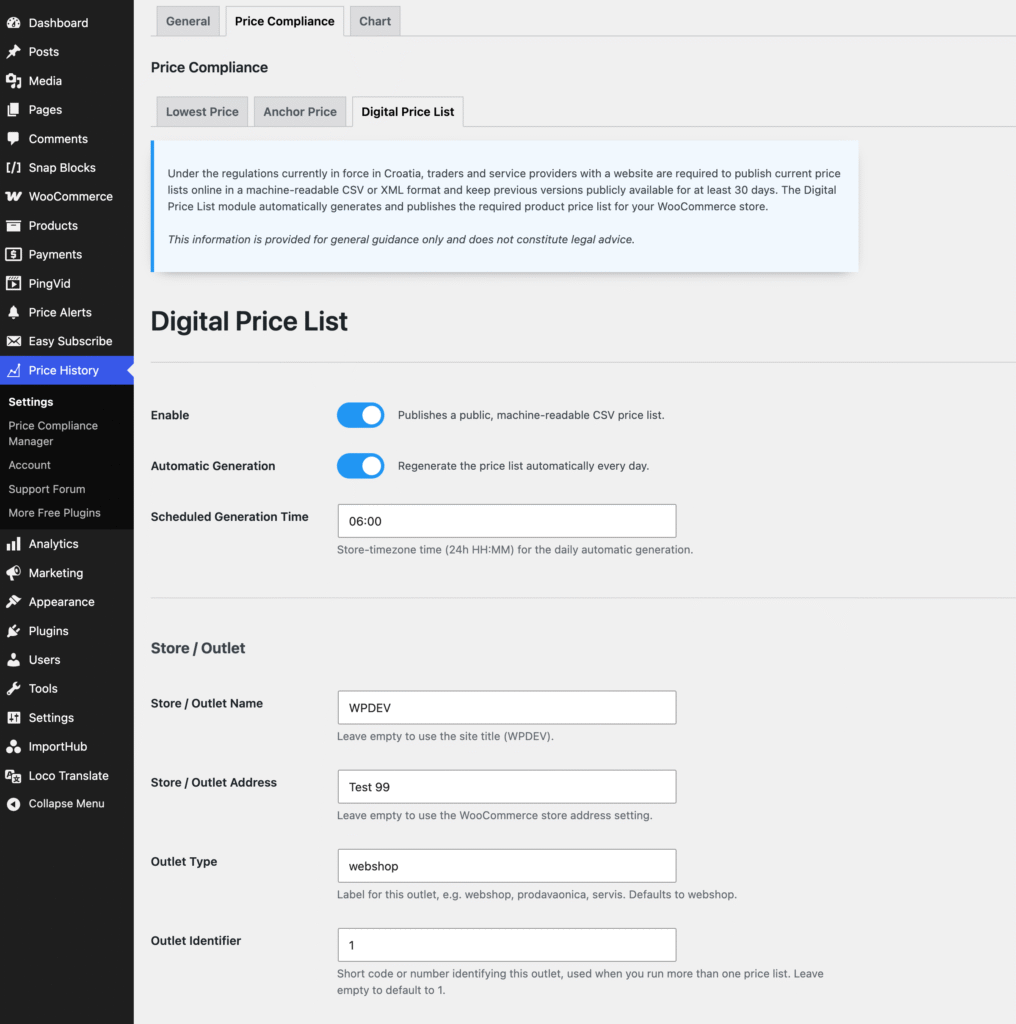
Enable
Enable or disable the Digital Price List module. When disabled, the public price list URLs are no longer available, but previously generated files remain stored on the server.
Automatic Generation
Automatically generate a new price list every day. We recommend keeping this option enabled so that the published price list stays up to date.
Scheduled Generation Time
Choose the time of day when the automatic price list should be generated. The time uses your WooCommerce store timezone.
The default is 06:00.
Store / Outlet Name
Enter the name of the store or outlet. Leave this field empty to use your WordPress site title.
Store / Outlet Address
Enter the address associated with this price list. Leave it empty to use the store address configured in WooCommerce.
Outlet Type
Enter a label describing the type of outlet, such as webshop, store, or service.
The default value is webshop.
Outlet Identifier
Enter a short code or number identifying this outlet. This is particularly useful when you maintain more than one price list or outlet.
The default value is 1.
Advanced Settings
The default values should work for most stores and normally do not need to be changed.
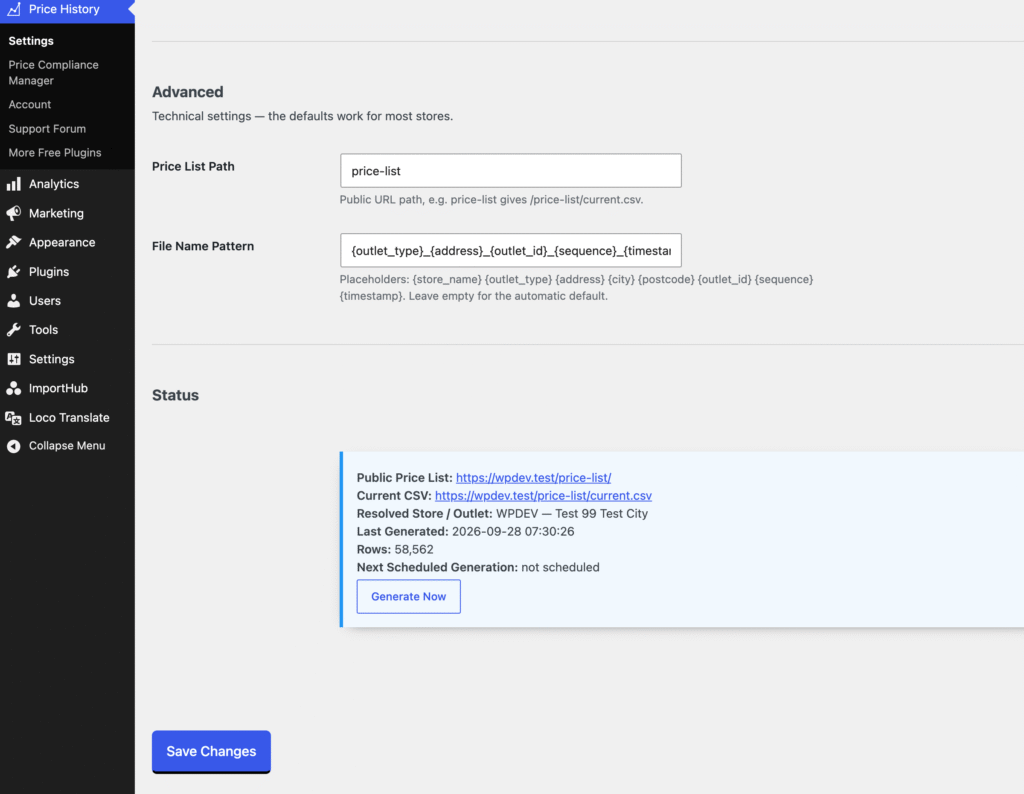
Price List Path
Defines the public URL path used for your digital price list.
With the default price-list path, the public archive is available at /price-list/ and the latest CSV can always be accessed through /price-list/current.csv.
File Name Pattern
Controls how generated CSV files are named.
The default pattern includes information about the outlet together with a sequence number and generation timestamp. You can customize the pattern using the available placeholders shown below the field.
Status and Manual Generation
The Status section shows information about the currently published price list, including its public URL, store/outlet details, generation date and number of generated rows.
Click Generate Now whenever you want to create a new price list immediately, for example after enabling the module for the first time or after making significant pricing changes.
What Is Included in the Price List?
The generated price list includes published simple products and published variations. Variable parent products are not added separately because each variation has its own row.
Products that are out of stock remain in the price list and are marked as unavailable. Draft, private and scheduled products are not included.
The CSV contains relevant pricing and product information such as the product name, SKU, brand, current selling price, sale status, Anchor Price, barcode and availability.
Price List Archive
A new CSV file is created for every successful generation. The public price list page displays the current price list together with previous price lists from the last 30 days, with the newest files shown first.
After a successful generation, archived files older than 30 days are automatically removed. The latest generated file is always retained as the current price list, even if automatic generation has stopped and that file is older than 30 days.
Using a Server Cron
Automatic generation relies on WordPress scheduled tasks. By default, WordPress runs scheduled tasks when the website receives a request, which means the price list may be generated later than the configured time on low-traffic websites.
For reliable daily generation, we recommend configuring a real server cron job to trigger WP-Cron regularly, especially on stores with low or irregular traffic. This makes scheduled generation independent of website visits and helps ensure that the daily price list is created on time.
For most stores, running WP-Cron from the server every 5–15 minutes is sufficient.