
The General Settings section contains the core configuration options required to connect your store to UTT Europe and control how products are imported.
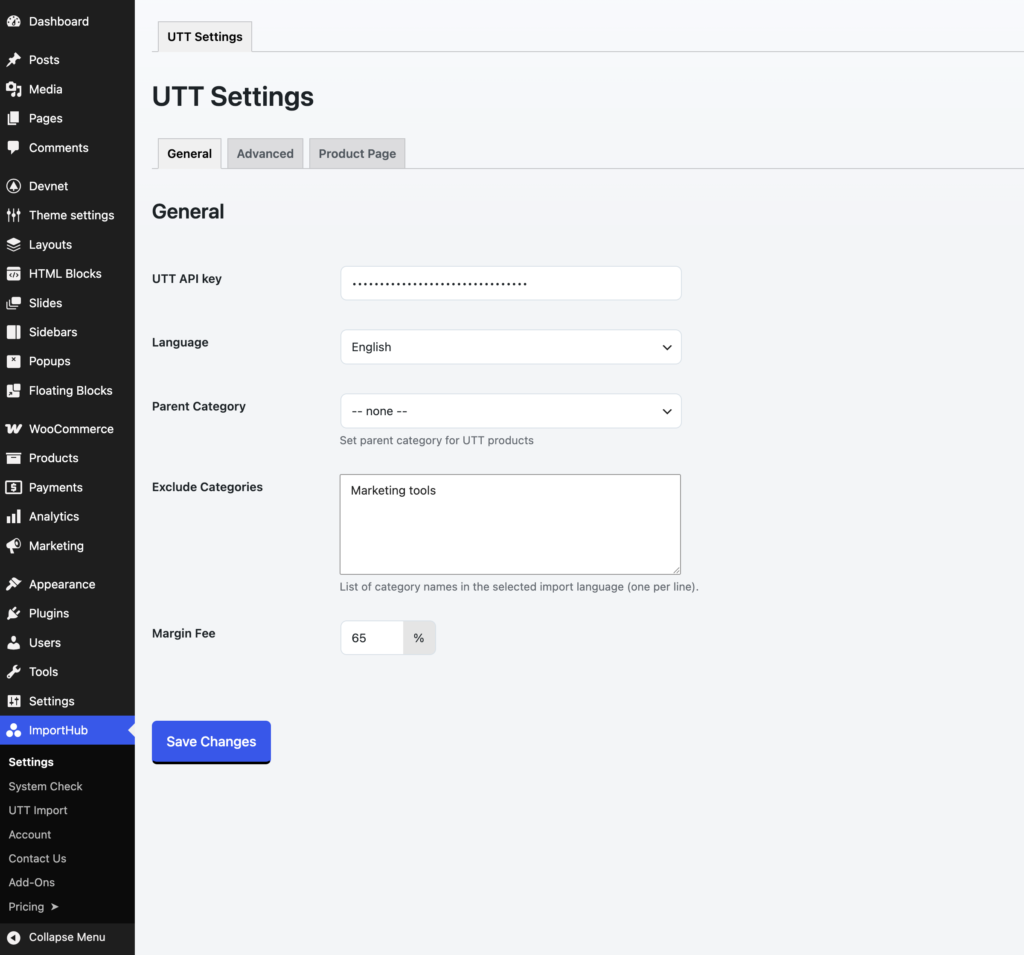
UTT API Key
Enter your UTT Europe API key. This key is required to access the UTT API and import product data into WooCommerce.
Language
Select the language used for imported product data, including product names, descriptions, categories, and attributes.
Supported languages:
- English
- Hungarian
- Romanian
- German
- Croatian
- Slovak
- Slovenian
- Czech
- Polish
English is always imported as a fallback language.
Parent Category
Optionally assign all imported UTT products to a specific WooCommerce parent category. When selected, all categories created during the import process will be placed under this category, helping keep your UTT catalog organized within a dedicated category tree.
If left empty, imported UTT categories will be created as top-level WooCommerce categories.
Exclude Categories
Prevent products from selected UTT categories from being imported. Enter one category name per line using the same language selected in the Language setting.
Margin Fee
Automatically increase imported product prices by a percentage. For example, a margin fee of 50% will increase a €10 supplier price to €15.