
Every imported UTT product includes additional import controls in the UTT Product metabox on the product edit screen.
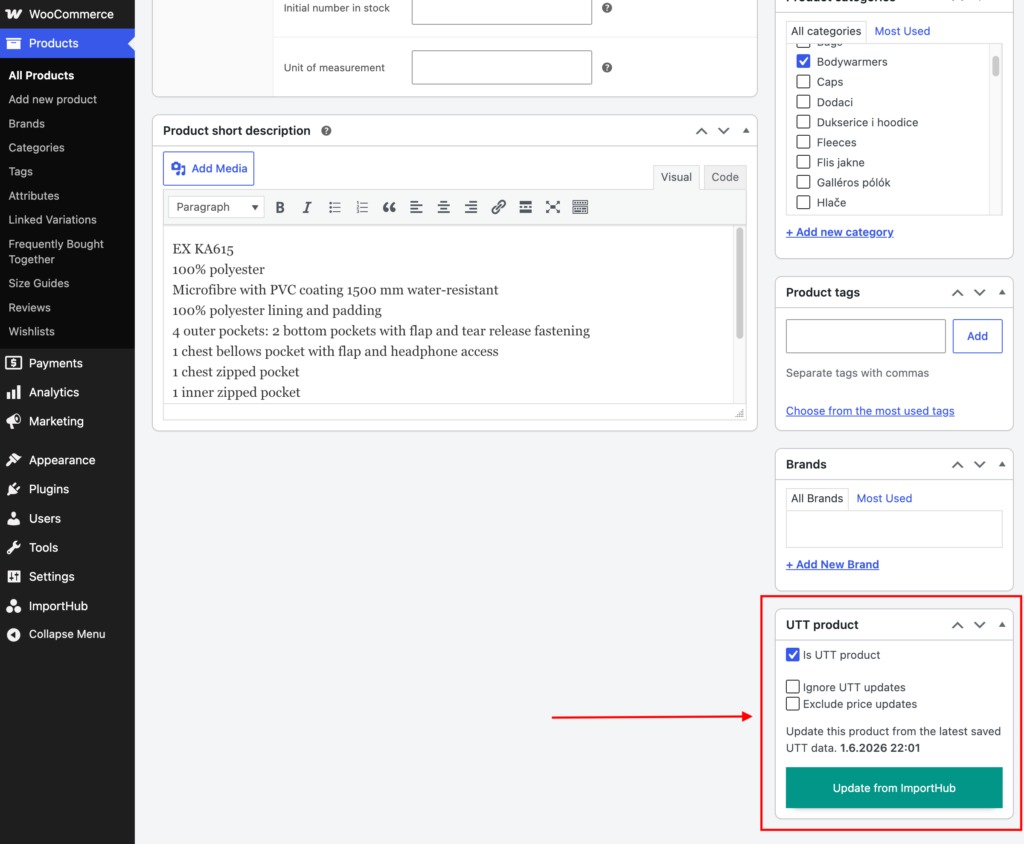
Ignore UTT Updates
Exclude the product from all future UTT imports and synchronizations.
This option is useful when you want to manage the product manually, keep custom content, or maintain your own stock levels without them being overwritten by future imports.
After enabling this option, update the product using the normal WooCommerce Update button.
Exclude Price Updates
Prevent UTT imports from updating the product price.
This option is useful when you want to keep a custom selling price instead of using the price generated from your global UTT margin settings.
After enabling this option, update the product using the normal WooCommerce Update button.
Update from ImportHub
The Update from ImportHub button immediately updates the product using the most recently downloaded and processed UTT data.
This data comes from the latest completed Actions before Import process and does not make a new request to the UTT API.
The button can be useful if a product was accidentally modified manually and you want to restore it to the latest version prepared by ImportHub.